Lead List Cleanup in Excel & Google Sheets
How I turn a messy contact export into a clean, CRM-ready list your team can trust.
The problem
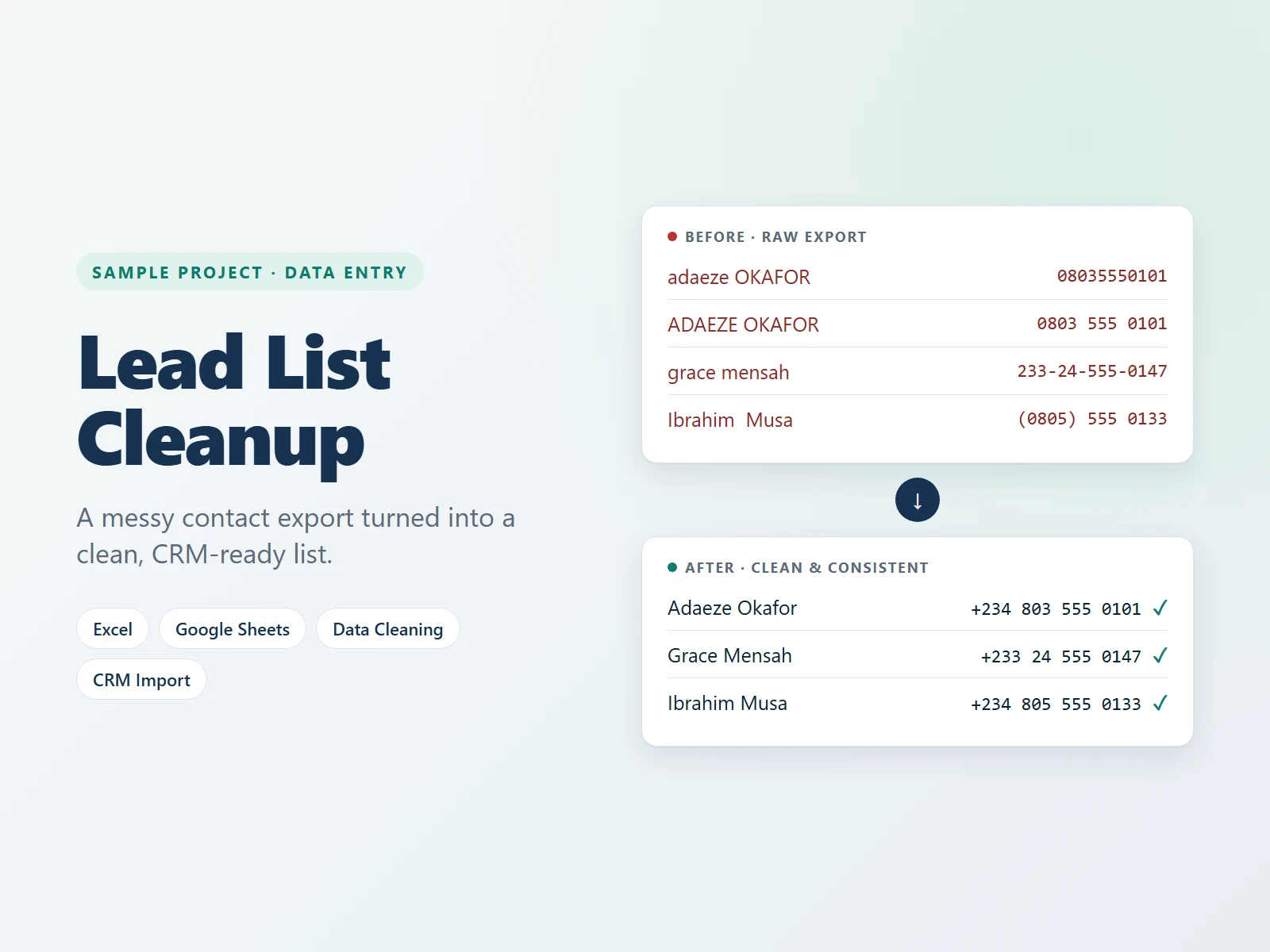
A raw contact export is rarely ready to use. In this sample, the list had names in mixed capitals, phone numbers in different formats, the same contact entered twice, and emails that were missing or invalid. Importing a list like this into a CRM creates duplicates, failed emails and a team that stops trusting its own data.
What I did
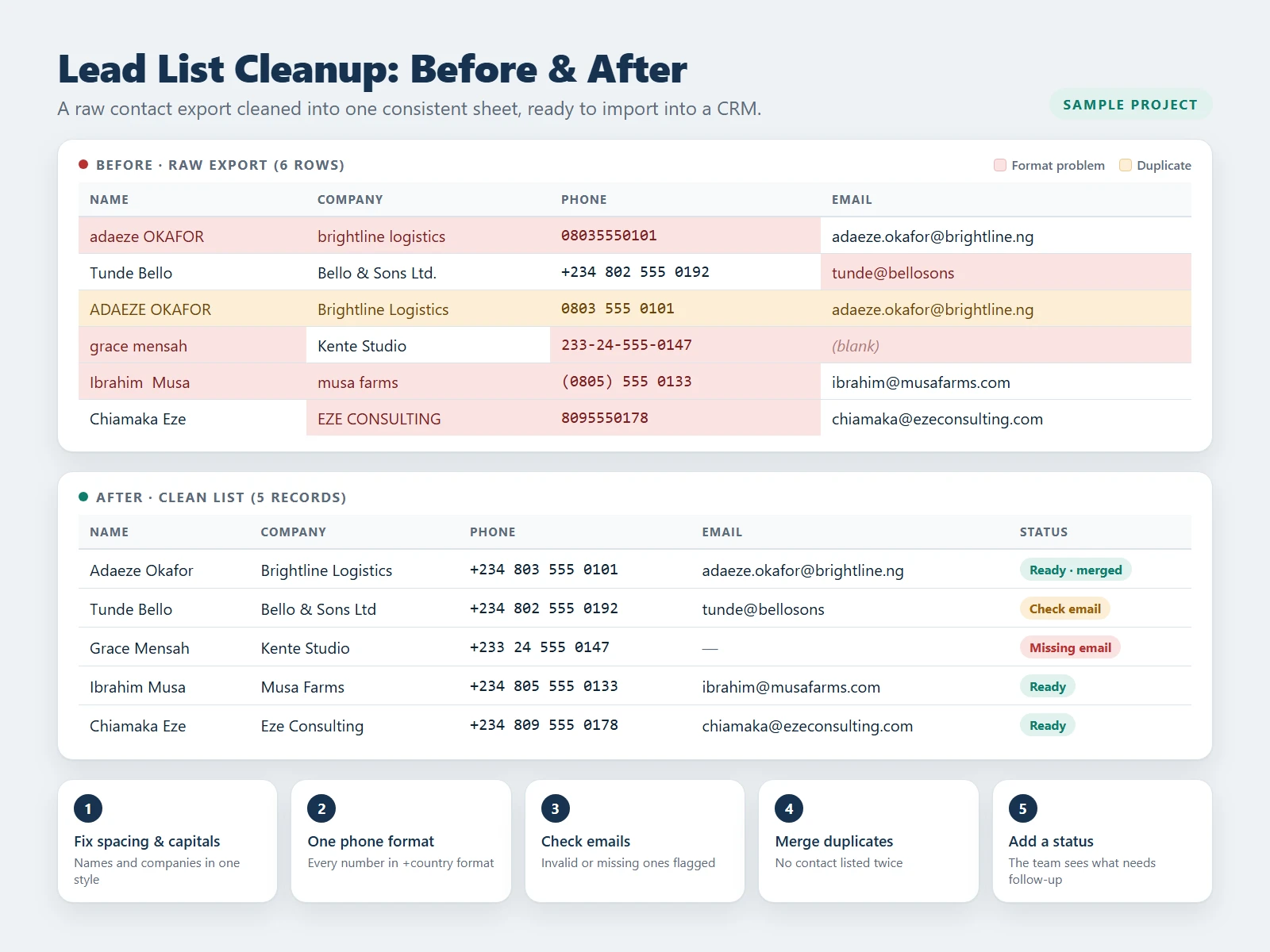
- Fixed spacing and capitals in names and company names, so every record follows one style.
- Standardised phone numbers into one international +country format.
- Checked every email and flagged the invalid or missing ones.
- Merged duplicate contacts so nobody is listed twice.
- Added a Status column so the team can see at a glance what is ready and what needs follow-up.
The result
One clean sheet, ready to import into HubSpot or any CRM. Every record follows the same format, duplicates are gone, and problem contacts are clearly flagged for follow-up.
Skills used
This is a sample project I created to show how I work. The names and data in it are made up for demonstration.
Want this done for your business?
I can set this up for you and keep it running. Book a free call and tell me what you need.
Free 30-minute call · No commitment